What CCTV Camera Specifications Actually Mean

The box of a security camera is covered in numbers — 4K, f/1.6, 120 dB, 30 fps. Most of us just pick the biggest number and hope for the best.
Here's the catch: the biggest number is usually not the one that decides whether you'll actually catch the face, the car, or the moment you cared about. This is a plain-English guide to what each number really does — so you can look at any camera and know what it'll give you. No engineering degree needed.
Understanding a CCTV camera specification sheet becomes much easier once you know what resolution, lens size, aperture, WDR, frame rate, compression, DORI, and other camera specifications actually affect. These settings determine what the camera can capture and how useful that footage will be for security monitoring and AI video analytics.
Reading camera specifications correctly helps you choose cameras that provide the image quality, coverage, and detail needed for reliable video analytics.
How to Read a CCTV Camera Specification Sheet
A camera specification sheet lists the technical details that affect image quality, coverage, low-light performance, motion clarity, and storage requirements. Understanding these numbers helps you choose a camera based on the actual monitoring task instead of simply selecting the highest specification.
The one idea that explains everything
Forget megapixels for a minute. The only thing that decides whether you can make out a face is how many of the camera's dots (pixels) land on that face.
A camera has a fixed number of dots. Point it at a small area and the dots pile up thick — lots of detail. Point it at your whole shop and those same dots spread thin — a person turns into a blur. This is why camera placement for AI analytics matters more than just buying a higher-resolution camera.
Camera quality is only one part of the equation. To understand how AI can analyze CCTV footage, detect events, and generate real-time alerts, read our guide to intelligent video analytics.
The security world even has a name for the four levels of "how much can you tell," called DORI:
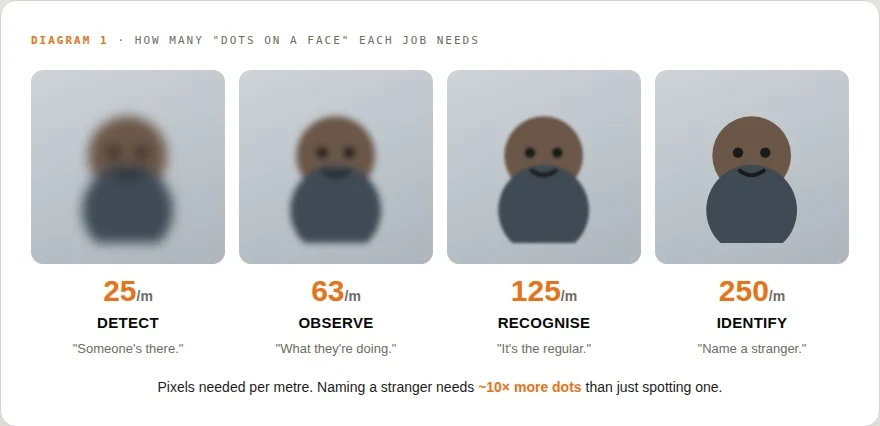
---The official DORI standard (IEC 62676-4). Same person, more dots on them = more you can tell.
So the real question is never "how many megapixels?" It's "will enough dots land on the face, at that distance?" Get that, and every other spec makes sense.
A 4K camera pointed at the wrong place is still a bad camera for the job. What matters is whether the face, plate, shelf, or hand movement is large enough in the frame to be useful. That is the first thing to check before planning any AI camera setup for retail stores.
Resolution: 1080p, 4K, 8K
Resolution is simply how many dots the camera records. 1080p is about 2 million dots. 4K is about 8 million — four times more. 8K, more again. More dots = more room to zoom in before the picture falls apart.
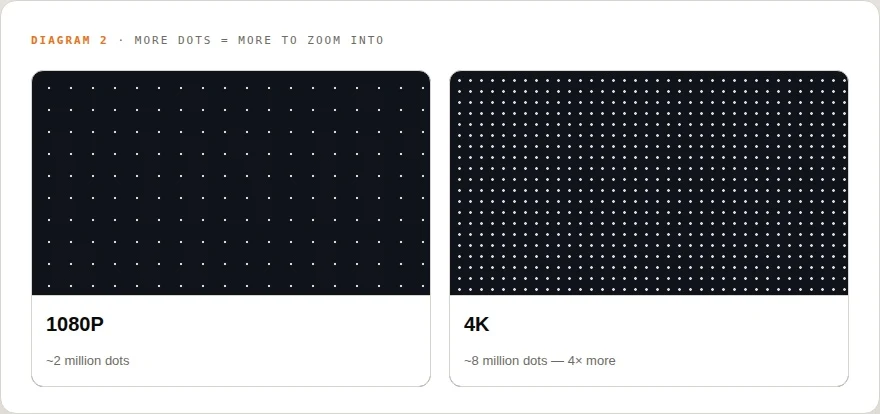
---More dots is genuinely better — but only if you aim them well. A 4K camera watching a huge car park still can't read a plate at the far end; the dots are spread too thin.
Think of it like a bucket of paint. 4K is a bigger bucket — but it still won't cover a whole wall. Aim it at a small area and you get rich detail; aim it at everything and it thins out.
The lens: cover everything, or identify anyone — pick one
The lens decides how wide the camera sees. A wide lens (a small number, like 2.8 mm) shows the whole room — but everyone in it is small, so you can see that people are there, not who they are. A zoomed-in lens shows a narrow slice up close — perfect for faces at the door, blind to everywhere else.
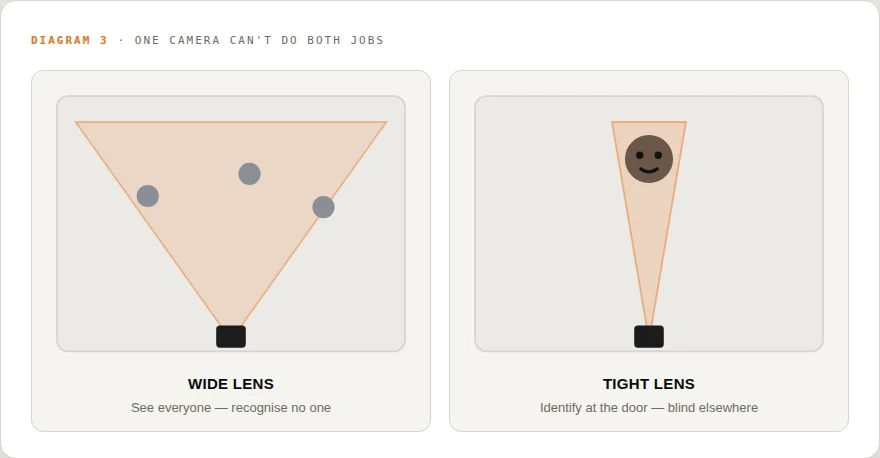
That's why good setups use a wide camera to watch the room and a tight one at the door. One "digital zoom" trick won't save you — it just blows up the blur. Only a real optical zoom adds detail.
This matters a lot for camera placement for AI analytics. A theft-detection camera, a face-identification camera, and a shelf-monitoring camera may all need different angles. One camera rarely does every job well. Now that you understand the specs, learn how to choose the right camera for warehouses, retail stores, hospitals and manufacturing sites.
Aperture: can it see in the dark?
Aperture is the camera's pupil — how wide it opens to let light in. It's written as an "f-number," and here's the part that trips everyone up: a smaller number means a wider pupil and more light. An f/1.6 lens lets in roughly 3× more light than an f/2.8.7 At night, that's the difference between a usable picture and a dark mess.
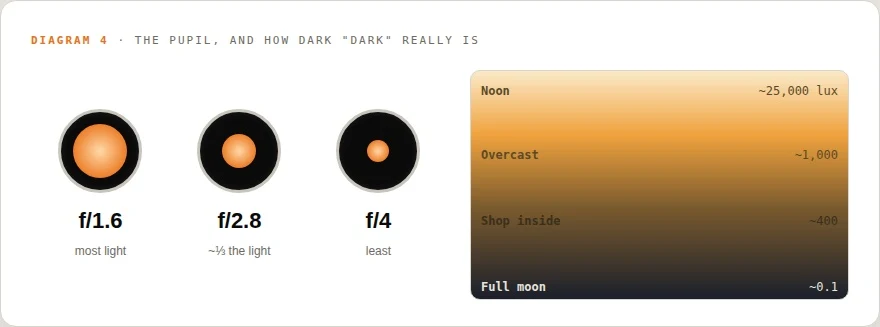
---"Lux" just means how much light is around. A car park at night can be 100,000× dimmer than noon — that's the gap a night camera has to fight.
At night two things happen, and both hurt. To grab more light the camera slows down, so anything moving smears into a blur. Or it turns up the sensitivity, which makes the picture grainy. And most cameras switch to infrared "night mode" — which is black and white. So in the dark there's no colour at all. "Find the man in the red jacket" simply can't work at night.
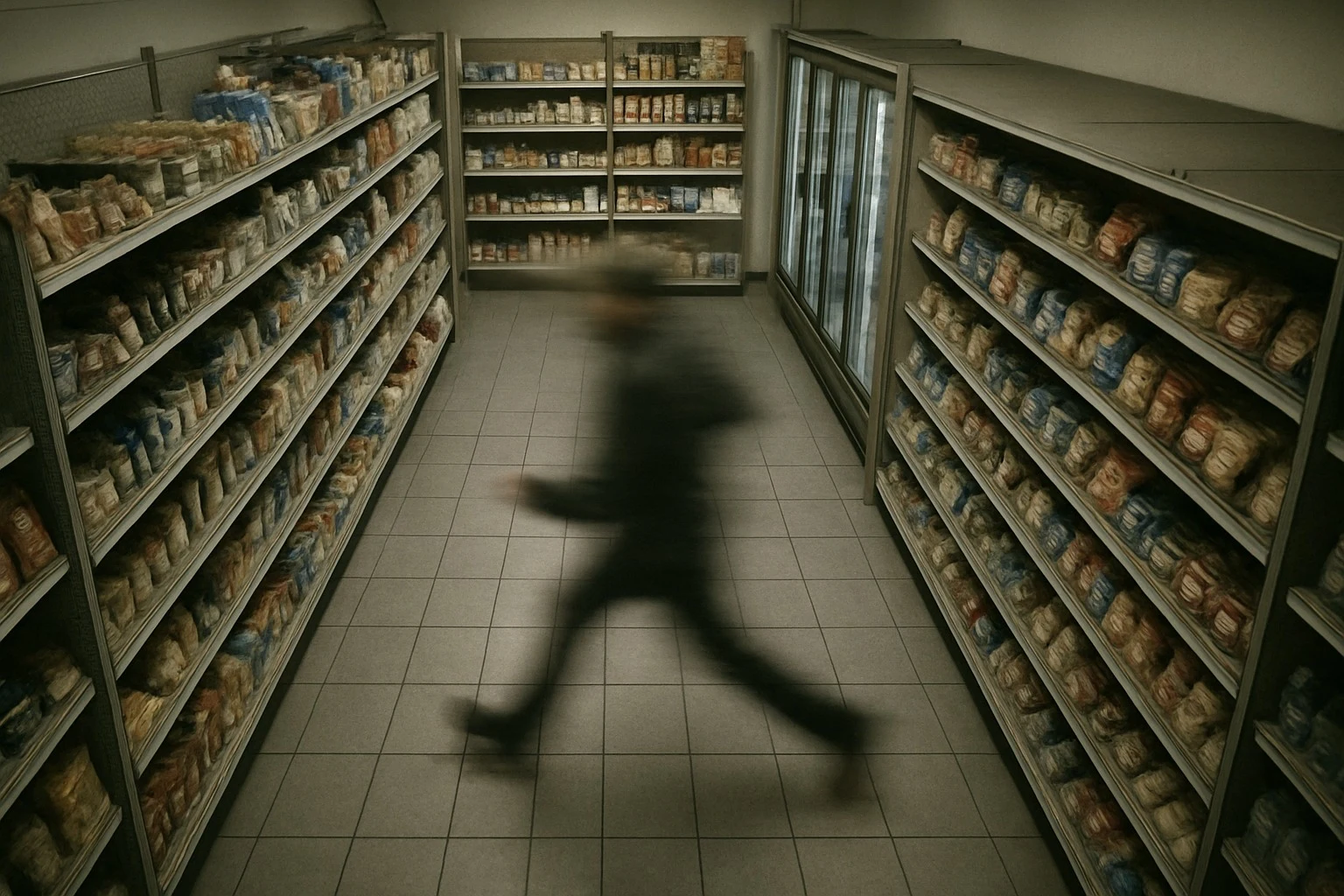
---What "night vision" actually looks like: no colour, and only as far as the infrared light reaches
The sneaky three: motion, backlight, squeezing
A few specs quietly decide whether you catch the moment at all.
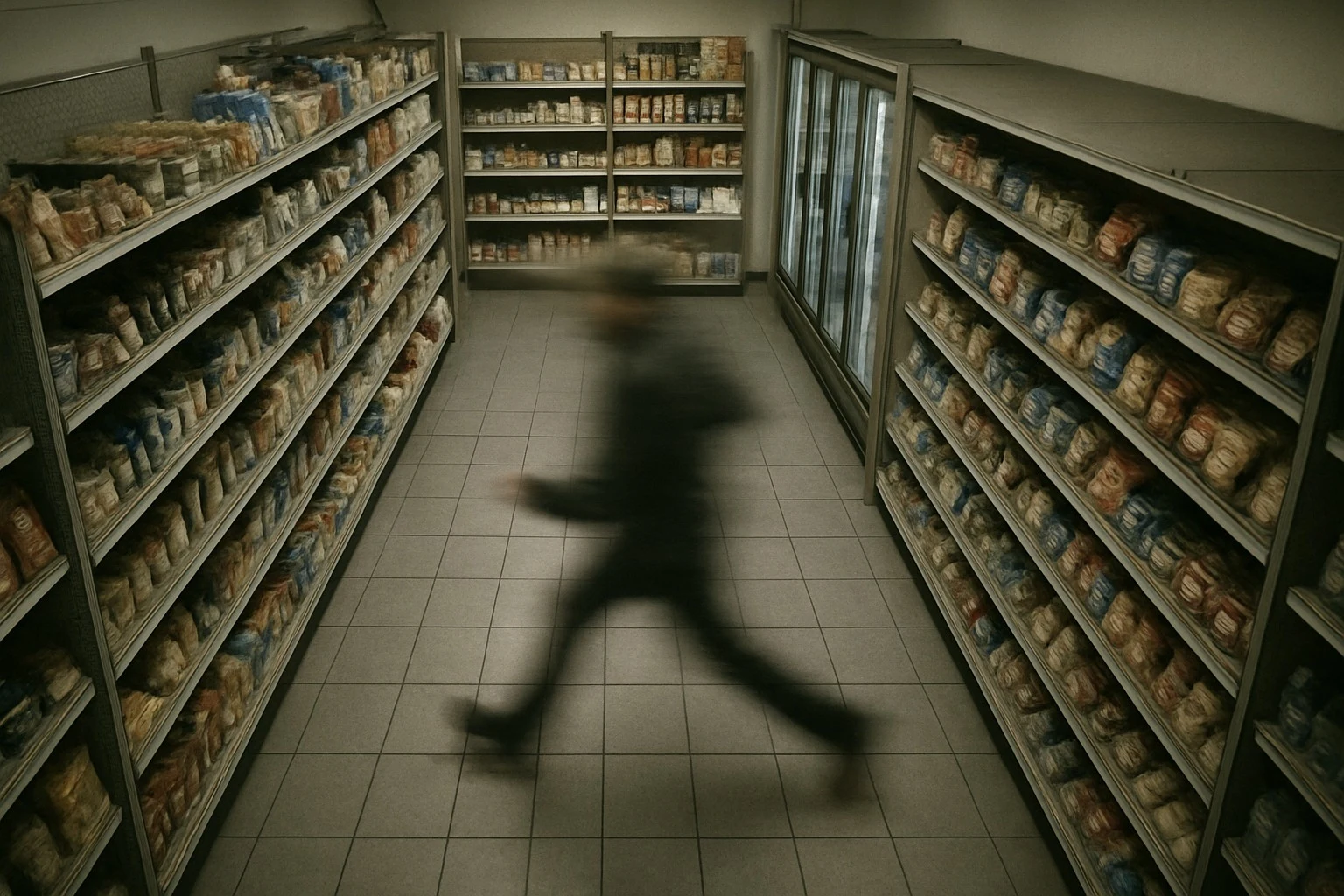
Frame rate is how many pictures the camera takes each second. Too few, and a fast-moving person jumps across the screen — the one frame with their face may never get taken. It's a flip-book with missing pages. A moving subject can also blur if the camera is too slow — at 45 mph a car can smear wider than a number plate is tall.
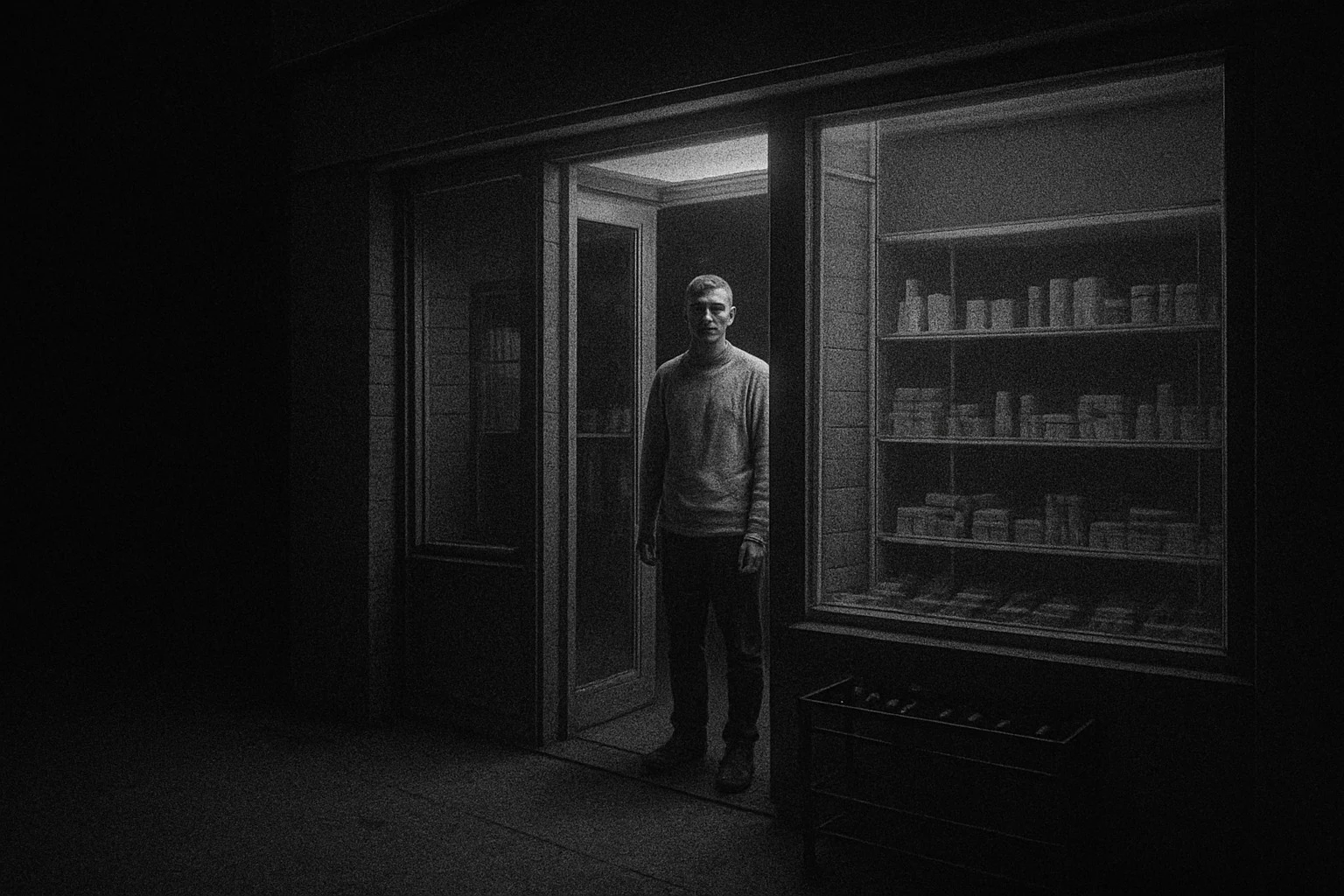
---The face is right there in frame — and still unusable, because the camera was too slow for the movement
For AI video analytics for retail, this matters because the AI can only work with the frames it receives. If the face, hand movement, product, or vehicle plate is skipped, blurred, or smeared, the system has less useful information.
Backlight is the next silent problem. Stand someone in front of a bright doorway and a basic camera turns them into a black silhouette — face gone. The fix is a feature called WDR (Wide Dynamic Range). It takes a bright photo and a dark photo and blends them, like your eyes adjusting when you walk indoors. Look for a high "dB" number.
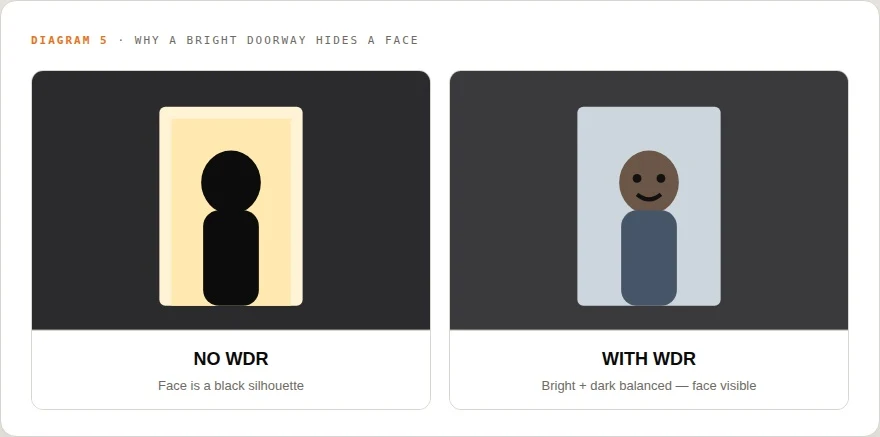
---It's the same reason your phone photo of someone in front of a sunny window comes out as a shadow.
Compression. To save space, cameras squeeze the video. Squeeze too hard and fine detail breaks into blocky mush — faces and plates dissolve. (A newer format called "H.265" squeezes smarter than the older "H.264," fitting the same quality into about half the space.
AI is forgiving. Physics isn't. A camera can't show what the lens never let in.
So… can the AI just fix it?
Modern AI is genuinely impressive. It can spot a person, follow them from camera to camera, and tell you what they were wearing — even on ordinary cameras. But it has one hard limit: it can't invent detail the camera never captured.
As one camera maker puts it plainly: no software can read a number plate that isn't clearly in the picture.Blurry, grainy footage can cut an AI's accuracy by a third to two-thirds. The TV trick where they "zoom and enhance" a sharp face out of a smudge? Not real.
So when you can't make out the face at the back of the shop, the fix is almost never "buy more megapixels." It's more dots on target — aim a camera tighter, add one at the doorway, or add a little light.
That's also where Flow Links fits: it runs the AI on the cameras you already own, and it can tell you which camera or corner is falling below the bar — so you fix the one that matters instead of replacing everything.
Read any spec sheet in 60 seconds
The only checklist you need
Dots on target, not megapixels. Will enough dots land on the face or plate at that distance?
Lens: wide to cover a room, tight to identify at a door. One camera rarely does both.
Aperture: a lower f-number (f/1.6 beats f/2.8) for anywhere dark.
WDR: a high dB number if there's a bright doorway or window behind people.
Shutter / frame rate: fast where things move, so motion doesn't blur or skip.
Compression: don't starve it — over-squeezed video turns detail into mush.
Pro Tip:
• Choose a lens that matches your specific needs — wide for broad coverage and tight for detail at a door. A combination approach often outperforms a single 'one-size-fits-all' solution. • Prioritize low f-number lenses (e.g., f/1.6) in dark environments to capture more light, improving image quality and reducing graininess or complete darkness issues. • Implement WDR with a high dB value to effectively handle areas with significant contrast between bright and dark regions, ensuring clear visibility of subjects regardless of lighting conditions. • Ensure adequate frame rate settings to prevent motion blur or missed moments, particularly in fast-moving scenarios. A higher frame rate increases the chances of capturing critical details.
Conclusion
The key takeaway is that the quantity of pixels alone does not determine image quality; instead, the number of dots landing on the target object and how they are utilized through lens selection, aperture adjustment, WDR capability, frame rate, and compression are crucial. Ensuring these elements work together can significantly improve the clarity and usability of captured images, especially in challenging conditions such as low light or high backlight scenarios.
Optimize Your Camera Setup
Adjust key camera parameters for better image quality and clarity.
Book a 20-minute demo