The gap

Connect Access Events With What Your Cameras See

Traditional access control systems record events — a badge presented, a door opened, or access denied. CCTV cameras record what happened around the same location. When these systems operate separately, security teams may need to manually compare access logs, timestamps, and recorded footage to understand an incident.

Access control and video surveillance integration brings these two sources together. A door event can be associated with the relevant camera footage, making it easier to verify what actually happened at the point of entry. FlowLinks adds AI video analytics to this process so configured events can be detected, reviewed, and escalated faster.

Without integration

×Access log: Door 4 — 10:42 AM — Access Granted
×Camera: separate system, manual search required
×Investigation: match timestamps across two systems
×Response: delayed by manual review process

With FlowLinks integration

Access event connected to associated camera view
AI analyzes footage for configured conditions
Visual context available alongside access record
Configured events surfaced for immediate review

How it works

How Access Control and Video Surveillance Integration Works

01

Access Event

Badge, credential, or mobile access method presented at a door or gate.

02

CCTV Footage

Associated camera records what happened before, during, and after the event.

03

FlowLinks AI

AI analyzes the video for configured events or behaviors relevant to the site.

04

Visual Verification

Security teams review the event with full visual context, not just an access log.

05

Real-Time Alert

Configured events are surfaced for review or escalation while there is still time to respond.

AI video analytics

Add AI Video Analytics to Access Control Events

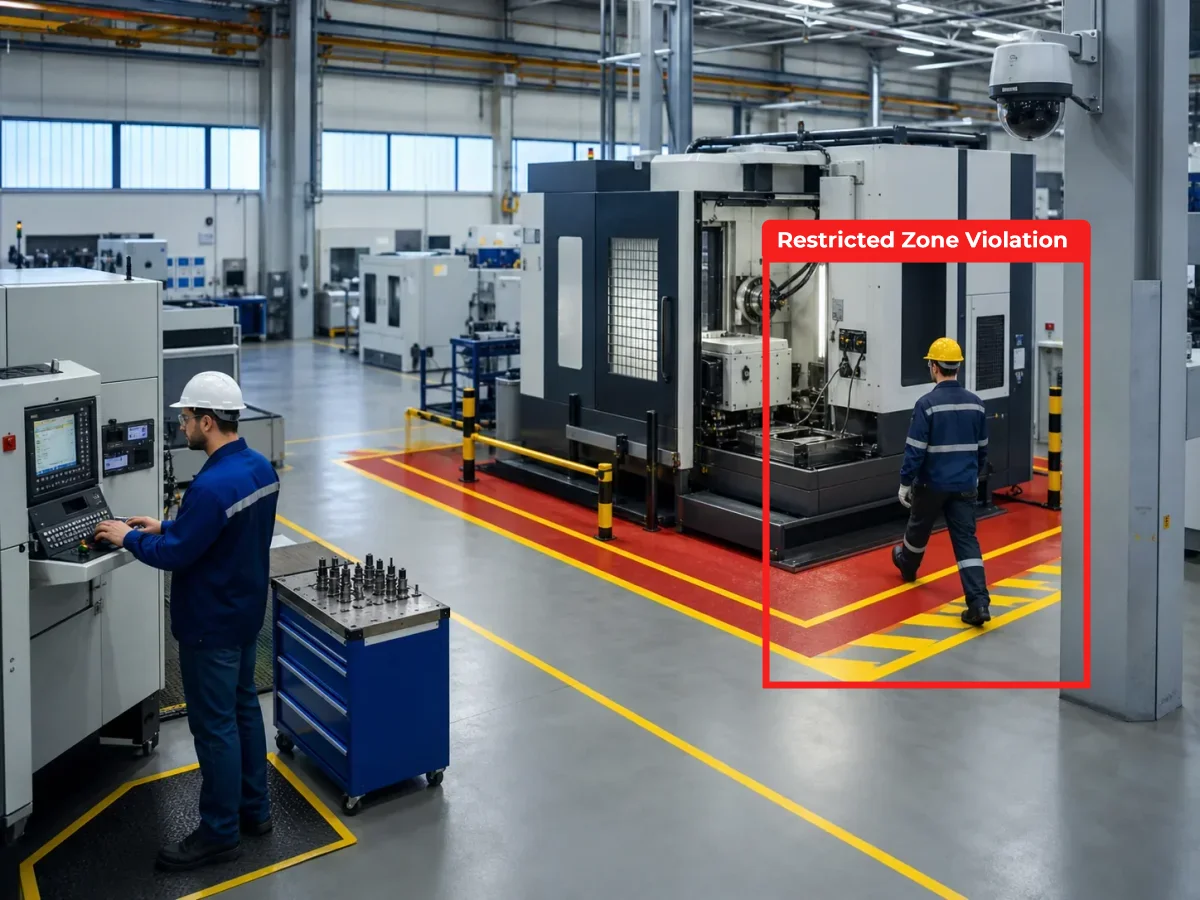
Connecting cameras and door systems is useful on its own. Adding AI video analytics makes the combined system more operational. FlowLinks can use existing CCTV and IP cameras to monitor configured security conditions around entrances, restricted areas, gates, and other controlled locations. Rather than requiring someone to continuously watch camera feeds, relevant events can be surfaced for review.

Unauthorized access

Detect a person entering a defined restricted area.

After-hours activity

Identify movement during configured time periods.

Tailgating

Surface multiple-person entry scenarios at controlled doors.

Door-area monitoring

Monitor what happens around controlled entrances before and after access events.

Unexpected occupancy

Surface activity where people are not normally expected.

Vehicle entry events

Monitor vehicle movement around gates and access points.

Visual verification

Access Control Logs Tell You What Happened. Video Shows You How.

An access log tells you that a credential was used. Video helps show what actually happened. Security teams can then review questions an access record alone cannot answer.

Was the credential used by the expected person?
Did more than one person enter?
Was the door held open?
Was someone already waiting near the entrance?
Did an unusual event occur immediately after entry?

Access Event — Door 4 — 10:42 AM

StatusAccess Granted
CredentialBadge #0042
CameraCAM-DOOR4 — linked
AI AnalysisSingle person entry confirmed
AlertNone — event logged

Industries

Access Control Integration Across Industries

Manufacturing

Manufacturing facilities contain production areas, warehouses, control rooms, loading zones, and restricted equipment areas. Combining access control and video surveillance can help teams verify access events and monitor activity around sensitive operational zones.

Manufacturing AI Video Analytics

Retail

Retailers may need to control access to stock rooms, cash-handling areas, back offices, and employee-only zones. Integrated video provides visual context around access events while AI analytics monitors configured activity.

Retail AI Video Analytics

Schools & Campuses

Campuses contain classrooms, laboratories, administration areas, and controlled spaces. Campus access control combined with video surveillance can give administrators better visibility into entry events and restricted-area activity.

Education AI Video Analytics

Warehouses & Logistics

Warehouses often have multiple access points, vehicle gates, loading areas, and restricted inventory zones. Connecting access events with camera footage helps teams investigate both people and vehicle movement.

ANPR Vehicle Tracking

Healthcare

Healthcare environments require controlled access around medication storage, laboratories, records, staff areas, and equipment rooms. Video surveillance adds visual context around access events while maintaining centralized operational visibility.

Healthcare AI Video Analytics

Existing infrastructure

Works With Existing Cameras and Security Infrastructure

Organizations should not have to replace their entire CCTV environment just to add video intelligence. FlowLinks is designed to work with existing CCTV and IP camera infrastructure where technically compatible — so organizations can build on their current security investment while adding AI-powered monitoring, event detection, alerts, and video intelligence.

FlowLinks is not positioned as a replacement for every access control platform or door controller. Instead, it helps connect video intelligence with the broader security environment.

Learn how FlowLinks works with existing cameras →
Existing CCTV and IP cameras
AI video analytics layer
Access control event feeds (where supported)
Door controllers and entry systems
Real-time video alerts
Restricted-area monitoring
Vehicle and ANPR recognition
Searchable event history
Operational dashboards
Business system integrations

Frequently Asked Questions

Common questions.

Connect Your Access Control Events
With Video Intelligence

Your access control system already knows when a door event occurs. Your cameras already record what happens around it. FlowLinks helps bring those signals together.

Book a DemoSee How FlowLinks Works
WhatsApp