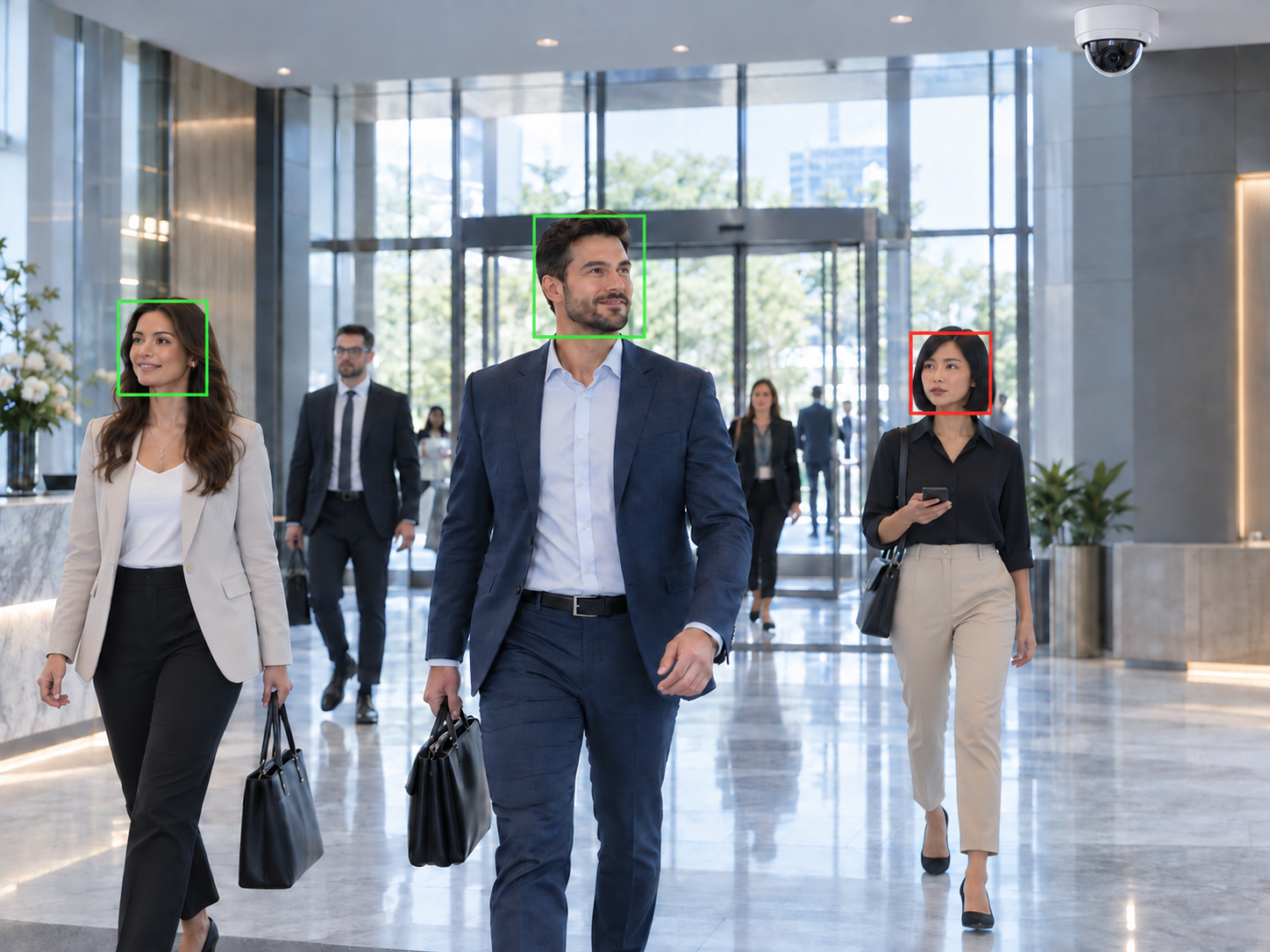
The difference

Face Detection Is Not the Same as Face Recognition

Many CCTV systems can detect that a face is present in frame — but detection alone does not tell you whose face it is. Face recognition goes a step further: detected faces are compared against an enrolled identity gallery, and the system determines whether a match exists.

FlowLinks works as AI facial recognition software — not just face detection. This means the system can distinguish between enrolled people and unmatched faces, log identity-relevant events, and surface recognition activity across all configured camera feeds from a single platform.

Face detection only

×A face is present in the camera frame
×Count of faces detected in a zone
×No identity match possible
×Cannot distinguish enrolled from unmatched

With FlowLinks face recognition

✓Detected face compared against enrolled gallery
✓Match or unmatched result logged per event
✓Recognition events searchable by camera and time
✓Unmatched faces flagged for configured review

How it works

How FlowLinks Facial Recognition Works

01

Connect Cameras

FlowLinks connects to suitable existing CCTV or IP cameras at configured locations via RTSP. No dedicated face recognition hardware required.

02

Enrol Known Faces

A gallery of enrolled identities is configured for the deployment. Each enrolled record represents a known person the system should recognise.

03

AI Detects and Matches

As faces appear in camera feeds, the AI compares each detected face against the enrolled gallery and determines whether a match exists.

04

Events Logged

Each recognition event — matched or unmatched — is logged with the camera reference and relevant context for review.

05

Alerts and Reports

Configured events are surfaced for review. Reports on recognition activity are available for the configured period.

Face recognition capabilities

What FlowLinks Facial Recognition Does

FlowLinks works as a face recognition system that runs across configured camera feeds — comparing each detected face against an enrolled gallery and generating a structured log of recognition events. As face recognition software for CCTV, it does not require dedicated recognition hardware or camera replacement.

Known Face Matching

Compare detected faces in live or recorded camera feeds against an enrolled identity gallery and log when a match is found.

Unmatched Face Events

Flag faces that appear in a configured camera zone but do not match any enrolled identity — surfacing activity for review.

Recognition Event Logging

Every recognition event is logged with camera reference and context, creating a searchable record of face detection activity across configured feeds.

Access Monitoring

Monitor configured entry points and restricted zones for face recognition events — supporting access verification workflows alongside existing access control systems.

Multi-Camera Recognition

Run face recognition across multiple camera feeds simultaneously from a single deployment — covering entrances, corridors and configured zones.

Searchable Event History

Review and search face recognition event logs by camera, time period or event type to support investigation, reporting and operational review.

Camera suitability

Face Recognition Works Best With the Right Camera Conditions

FlowLinks facial recognition software is designed to work with suitable existing CCTV and IP cameras — but not every camera installation will deliver equivalent recognition performance. Face recognition accuracy depends on the conditions under which faces are captured, not only the software.

Before deployment, camera positions and feeds are assessed against the recognition requirements of the specific use case. Where existing cameras are not suitably positioned, adjustments or additions may be recommended.

Check camera compatibility →
Camera angle
Faces should be visible at an angle suitable for recognition — not from directly above or behind
Image resolution
Sufficient resolution to capture facial detail at the distances involved in the deployment
Lighting conditions
Consistent and adequate lighting at the camera position — recognition performance may vary in low light or strong backlight
Face visibility
Partially obscured faces (hats, masks, downward gaze) reduce recognition confidence
Enrolled image quality
Reference images used for enrollment should be clear and representative of how the person appears on camera
Camera stability
Fixed camera positions generally perform better than cameras with variable angles or frequent repositioning

Use cases

Facial Recognition Software Across Industries

Education

Schools and colleges can use face recognition to support student identification at classroom entry points and campus gates. Works alongside the broader FlowLinks education video analytics suite.

Education AI Video Analytics →

Manufacturing

Manufacturing sites can use face recognition to support workforce identification at facility entry points and restricted production areas — without replacing existing access control infrastructure.

Manufacturing AI Video Analytics →

Healthcare

Healthcare facilities can apply face recognition at ward entries, staff areas and controlled access points to support authorised-person verification alongside existing security systems.

Healthcare AI Video Analytics →

Access Control Integration

Face recognition can operate as a layer within a broader access control and video surveillance environment — matching faces at entry events and surfacing unmatched face activity for review.

Access Control Integration →

Retail

Retail environments can use face recognition to monitor configured zones for known individuals and flag unmatched faces in staff-only or restricted areas.

Retail AI Video Analytics →

Frequently Asked Questions

Common questions.

Add Facial Recognition to
Your Existing Cameras

Your cameras are already capturing faces. FlowLinks adds the AI facial recognition software layer to compare, match and log recognition events across your configured feeds.

Book a DemoSee How FlowLinks Works
WhatsApp