What Is Intelligent Video Analytics?

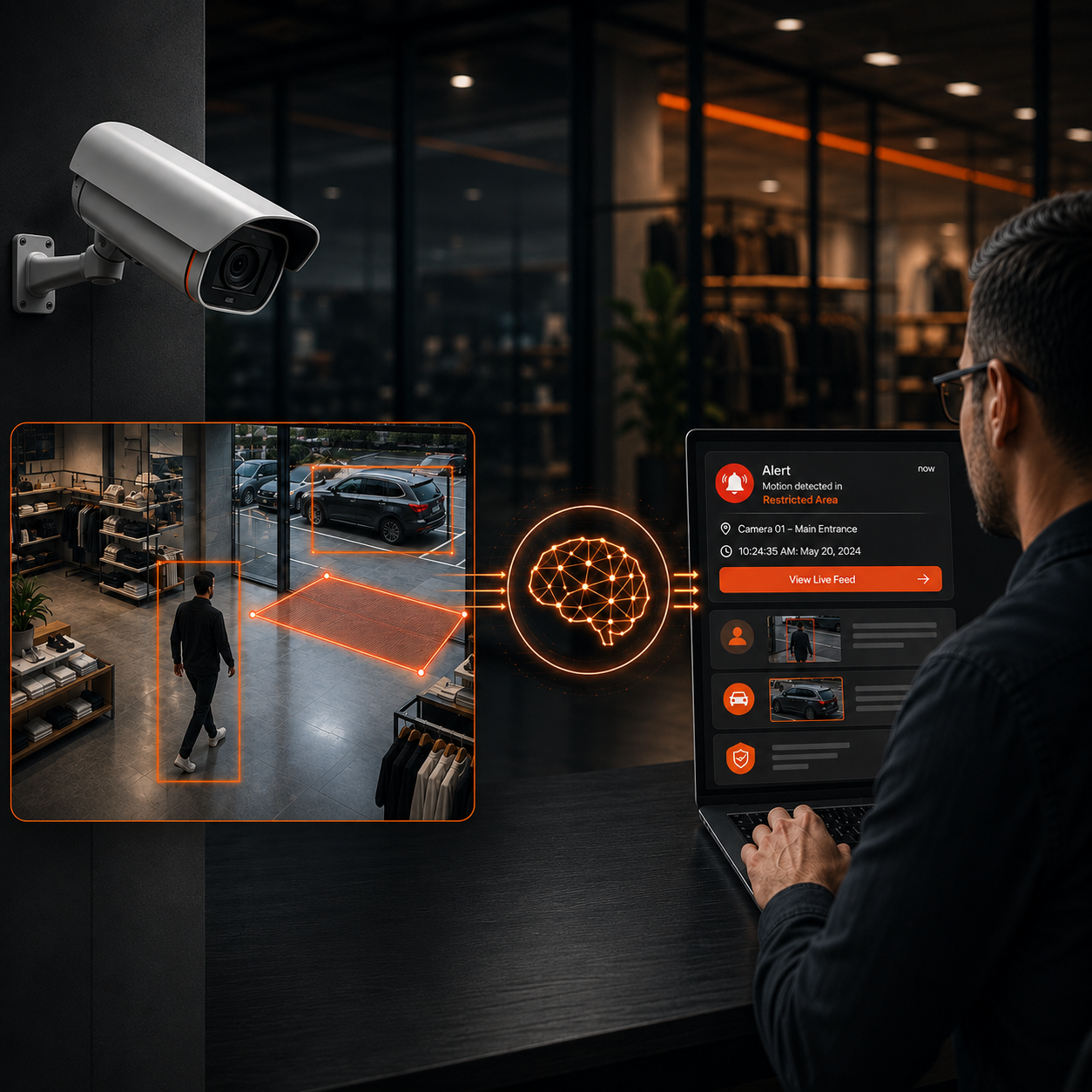
Intelligent video analytics uses AI to understand CCTV footage, detect events in real time, and trigger alerts. FlowLinks adds this capability to existing cameras.
Intelligent video analytics is the use of artificial intelligence — usually machine learning and computer vision — to automatically interpret what's happening in video footage, rather than simply recording it. Instead of a human watching a screen or a system reacting to basic motion, intelligent video analytics can recognize specific objects, behaviors, and events in real time, and alert the right person when something worth noticing occurs. It's the difference between a camera that records and a camera that actually understands what it's looking at.
FlowLinks provides intelligent video analytics solutions that work with existing CCTV and IP camera systems, helping businesses detect events in real time and generate alerts without replacing their camera infrastructure.
Traditional Rule-Based Video Analytics vs. Intelligent Video Analytics
The word “intelligent” in this phrase isn't just marketing — it points to a real technical distinction that's worth understanding before you evaluate any system.
Traditional rule-based video analytics works off fixed conditions: motion in a defined zone, a tripwire being crossed, a change in pixel values. These systems can be effective for simple, narrow tasks, and some can be configured to reduce obvious false triggers. But because they rely on predefined conditions rather than recognizing what an object or behavior actually is, distinguishing something like a person from a shadow, or a parked delivery truck from a suspicious vehicle, can be more limited than with AI-driven detection.
Intelligent video analytics adds a layer of understanding on top of that. Using machine learning models trained on real-world video, it can classify objects (person, vehicle, bag), recognize behaviors (loitering, falling, entering a restricted zone), and distinguish between routine activity and something that actually needs attention. That contextual layer is what allows intelligent video analytics to support more nuanced use cases — PPE compliance, queue buildup, fall detection — that a purely rule-based system isn't built to handle.
Criteria | Traditional Rule-Based Analytics | Intelligent Video Analytics |
|---|---|---|
How it detects | Fixed rules: motion, tripwires, pixel change | Trained AI models that classify objects and behavior |
Context awareness | Limited — primarily responds to predefined conditions | Can distinguish routine activity from genuine events |
Typical use cases | Basic motion alerts, simple zone triggers | Behavior detection, compliance monitoring, anomaly detection |
Irrelevant alerts | Can produce more irrelevant alerts when rules are broadly configured | Can be reduced with well-configured models — results vary by setup |
Intelligent video analytics can also be applied specifically to security and surveillance environments, where AI helps monitor camera feeds, detect events, and generate alerts in real time. For a deeper look at this use case, read our complete guide to video surveillance analytics.
How Intelligent Video Analytics Works
At a high level, intelligent video analytics runs in three stages: the system ingests a live video stream, an AI model analyzes each frame (or a sampled set of frames) for objects and behaviors it's been trained to recognize, and when something matches a defined condition — a person entering a restricted area, an item being concealed, a fall — it generates a real-time alert instead of waiting for someone to review recorded footage later.
That analysis can happen in a few different places. Some systems process video directly on the camera or a small on-site device (edge processing), which keeps footage local and reduces bandwidth needs. Others send video to a central server or the cloud for analysis, which can offer more processing power for complex detections. Many deployments use a mix, depending on the number of cameras and sites involved.
The underlying AI models are typically trained on large sets of labeled video data before deployment, then configured or calibrated for factors like camera angle, zone definitions, alert thresholds, and other deployment conditions specific to a site. This calibration step is part of why results can vary between a system that's been properly configured for a location and one that hasn't: the same underlying technology can perform very differently depending on how well it's been set up for the space it's watching.
What Can Intelligent Video Analytics Detect?
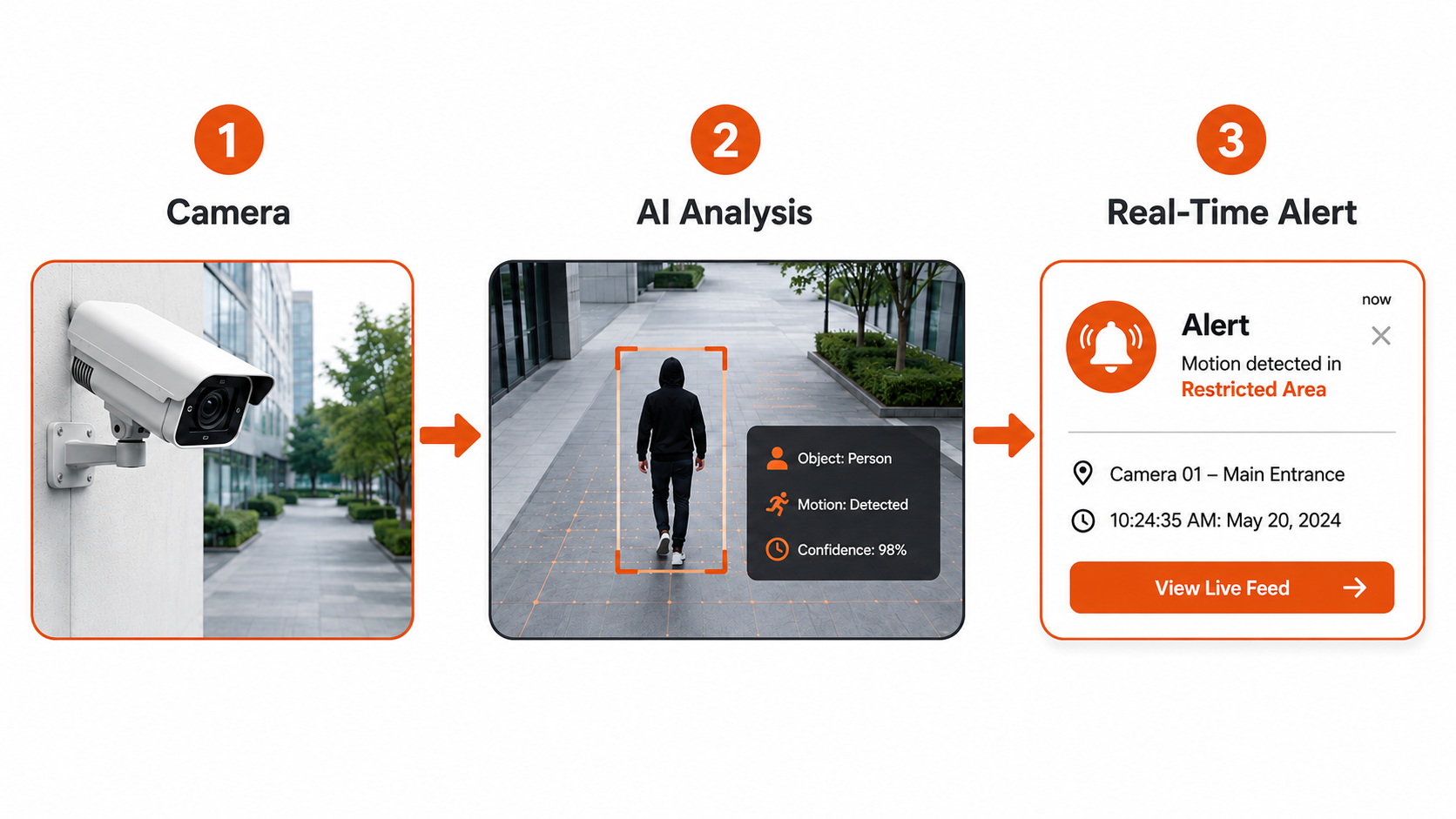
Not every system supports every detection type, and “intelligent video analytics” as a category covers a range of capabilities rather than one fixed feature set. That said, the exact detection types vary by vendor and configuration, but common categories include:
● People and vehicles — counting, tracking, and identifying presence in defined zones
● Restricted-area entry — alerting when someone enters a zone they shouldn't
● Behavioral events — loitering, falls, fighting, or other unusual activity
● Compliance monitoring — missing PPE, hygiene protocol steps, safety gear
● Vehicle and plate recognition — tracking vehicles and reading license plates (ANPR)
● Operational patterns — queue length, dwell time, foot traffic
Does It Require New Cameras?
This is one of the most common questions, and it deserves a direct answer: in many cases, no. Intelligent video analytics is typically applied as a software layer on top of a video stream, which means many existing CCTV and IP camera systems can be used as-is, without replacing hardware.
That said, “many” isn't “all.” Whether a specific camera setup works depends on a few practical factors: whether the system can access the camera's video stream, the image quality and resolution the camera provides, where and how the camera is positioned, and which specific detections you're trying to run. A camera with a poor angle or heavy backlighting, for example, may struggle to support reliable behavior detection even if it works fine for a simpler analytic. This is why any serious evaluation should include a look at your actual camera setup rather than a blanket assumption either way.
This is the approach FlowLinks takes as well: it's built to work with many existing CCTV and IP camera systems, connecting to cameras already in place rather than requiring a hardware overhaul. As with any system, actual compatibility still depends on the same factors above — stream access, image quality, placement, and the specific detections needed. You can see how that process works in more detail on our how it works page.
Intelligent Video Analytics by Industry
The same underlying technology applies differently depending on the environment, since what counts as a meaningful event changes a great deal from a hospital corridor to a warehouse loading dock.
In retail, intelligent video analytics is commonly used for theft and loss prevention, queue monitoring, and understanding customer footfall and dwell time. In healthcare facilities, it can support fall detection, restricted-room access monitoring, and staff safety use cases. Manufacturing environments often apply it to safety compliance — PPE detection, restricted-zone monitoring — and production-line visibility. Warehouses use it for perimeter intrusion monitoring, forklift and pedestrian safety, and vehicle tracking. Education settings apply similar tools to automated attendance and campus access monitoring, while hospitality environments use it for guest safety and service-standard checks. Across all of these, the core capability is the same: turning a video stream into a real-time signal instead of a passive recording, applied to whatever counts as a meaningful event in that particular setting.
Privacy and Limitations
Intelligent video analytics raises real privacy and governance questions that are worth taking seriously rather than glossing over. Depending on the specific features used — facial recognition in particular — organizations need to consider applicable regulations, data retention policies, and appropriate signage or disclosure to anyone being recorded. Many deployments are designed to analyze behavior patterns rather than identify individuals by name, but the right approach depends on your use case and jurisdiction, and it's worth reviewing with your own legal or compliance team — see our trust page for how FlowLinks approaches data handling.
It's also worth being realistic about limitations. Accuracy depends heavily on camera placement, lighting, and image quality — no system performs equally well in every environment. And while intelligent, AI-driven analytics can help reduce irrelevant alerts compared to purely rule-based systems, results vary by configuration, camera conditions, and the specific use case being monitored. It's a meaningful improvement over rule-based triggers, not a guarantee of zero false alerts.
Frequently Asked Questions
What's the difference between video analytics and intelligent video analytics?
Video analytics is the broad category of using software to analyze video. Intelligent video analytics specifically refers to AI-driven systems that add contextual understanding — recognizing behaviors and objects — rather than relying only on fixed rules like motion or tripwires.
Does intelligent video analytics require new cameras?
Often not. Many existing CCTV and IP camera systems can support intelligent video analytics, provided the video stream is accessible and image quality, placement, and the specific detections needed are suitable for the use case.
Is intelligent video analytics the same as AI video analytics?
The terms are largely used interchangeably in the industry. “Intelligent video analytics” tends to emphasize the contextual, behavior-aware capability, while “AI video analytics” is a broader umbrella term for the same underlying technology.
What industries use intelligent video analytics?
It's used across retail, healthcare, manufacturing, warehousing, education, and hospitality, among others — anywhere real-time visibility into physical spaces matters.
Does intelligent video analytics raise privacy concerns?
It can, particularly with features like facial recognition. Organizations should consider applicable regulations, data handling practices, and disclosure requirements relevant to their location and use case.
How accurate is intelligent video analytics?
Accuracy depends on factors like camera placement, image quality, and lighting conditions. Well-configured systems can meaningfully reduce irrelevant alerts compared to rule-based analytics, but results vary by deployment.
Conclusion
Intelligent video analytics is, at its core, about giving cameras the ability to understand what they're seeing — not just record it. That shift, from passive footage to real-time, context-aware detection, is what separates it from older rule-based systems, and it's why it's being adopted across retail, healthcare, manufacturing, and other industries where real-time visibility into physical spaces matters. It's worth understanding both what the technology can do and what depends on your specific setup — camera quality, placement, and the use cases you actually need. If you already use CCTV cameras and want to understand how intelligent video analytics can work with your existing setup, you can explore how FlowLinks works with existing cameras, or see how it's used across different industries.
Ready to Make Your Existing Cameras Smarter?
See how FlowLinks adds AI-powered detection and real-time alerts to the CCTV cameras you already use.
See How FlowLinks Works