Retail Video Surveillance AI: What It Can Detect and How It Works

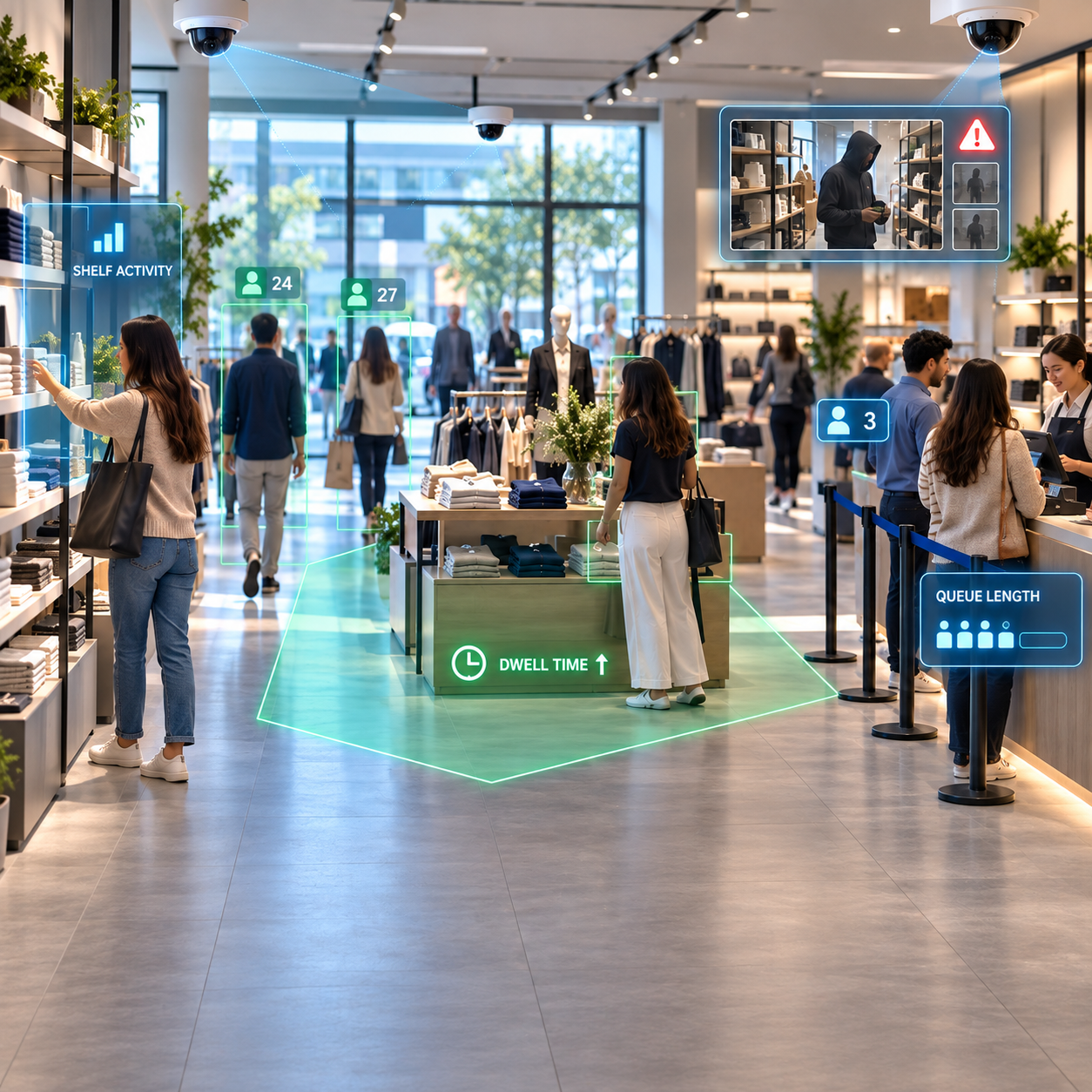
Retailers already have cameras everywhere.
They watch entrances, aisles, checkout counters, stock areas, service zones, and parking spaces. But in most stores, those cameras spend most of their time doing one thing: recording footage that someone may review later.
Retail video surveillance AI changes that.
Instead of treating cameras only as recording devices, AI video analytics can continuously analyze video and identify events that matter to store teams — from long checkout queues and changing footfall patterns to suspicious behavior and operational issues.
The important part is that retailers may not need to replace their existing camera infrastructure. AI can work with compatible CCTV and IP camera streams, adding an intelligence layer on top of video systems that are already installed.
What Is Retail Video Surveillance AI?
Retail video surveillance AI uses computer vision and video analytics to interpret activity captured by store cameras.
Traditional surveillance mainly answers:
“What happened?”
AI-enabled surveillance can also help answer:
“What is happening right now?”
and:
“Is there something the store team should respond to?”
The system analyzes video frames and looks for configured events, objects, movements, or behavior patterns.
When a relevant condition is detected, the platform can create an event, generate a short video clip, and alert the appropriate team.
This turns CCTV from a passive archive into a system that can support loss prevention, customer experience, and store operations.
What Can Retail Video Surveillance AI Detect?
The exact capabilities depend on camera placement, image quality, store layout, and the analytics being used.
However, several retail applications are particularly useful.
1. Theft and Concealment Behavior
One of the most obvious applications is loss prevention.
AI can analyze activity in aisles or merchandise areas for configured behaviors associated with potential theft, including concealment-related actions or unusual interactions with products.
Instead of expecting security teams to watch dozens of camera feeds continuously, the system can surface relevant events for review.
This does not mean AI should automatically decide that someone has committed theft.
The more useful approach is to identify activity that deserves attention and provide the associated video evidence to store teams.
FlowLinks uses this approach in its retail theft and loss prevention analytics.
2. Suspicious Behavior
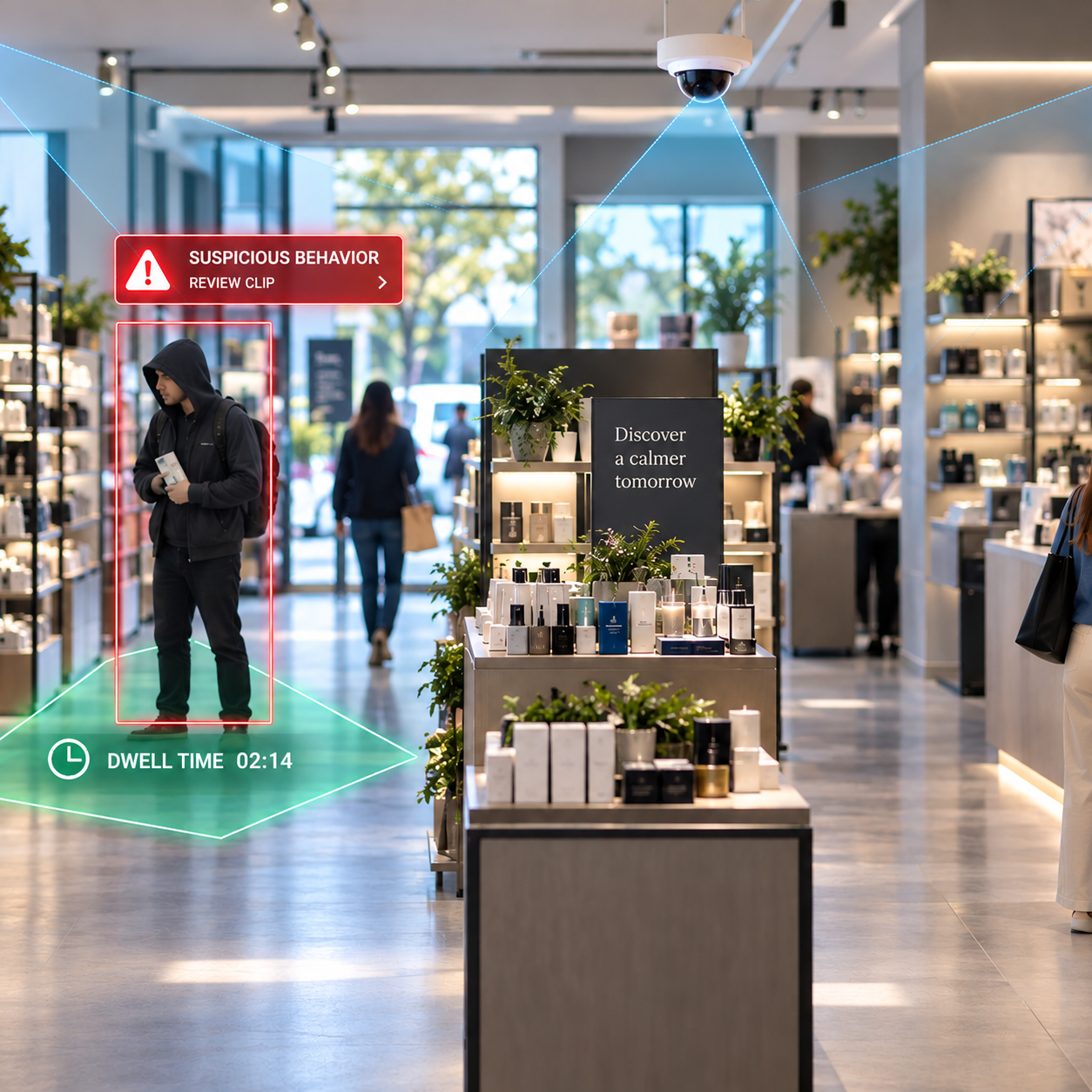
Not every important event is a clear theft event.
A person may repeatedly move between specific areas, spend unusually long periods around certain merchandise, or display another configured behavioral pattern.
Retail video analytics can flag those situations for staff review.
The distinction matters.
Behavior analytics should help prioritize attention, not make unsupported judgments about people.
That is why suspicious behavior detection works best as an alerting layer combined with human verification.
Learn more about suspicious behavior detection for retail
3. Queue Length and Waiting Time
Long queues directly affect customer experience.
Camera-based queue analytics can help estimate:
how many people are waiting,
when a queue exceeds a defined threshold,
how long congestion continues,
and when additional staff may be required.
A manager can receive an alert before the checkout area becomes severely congested instead of discovering the problem after customers begin walking away.
4. Footfall and Store Traffic
Entrance cameras can become valuable sources of traffic intelligence.
AI people-counting analytics can help retailers measure:
visitor counts,
hourly traffic,
peak shopping periods,
day-to-day traffic patterns,
and differences between store locations.
When these numbers are combined with sales data, retailers can start comparing store traffic with actual conversion performance.
A store with strong sales may simply have much higher foot traffic, while another location may receive similar traffic but convert fewer visitors.
That makes retail footfall analytics useful far beyond security.
5. Dwell Time
Knowing that someone entered the store is useful.
Knowing where customers spend time can be even more useful.
Dwell-time analytics measures how long visitors remain within configured areas.
Retailers can use this information to better understand questions such as:
Which product areas attract attention?
Which displays are frequently ignored?
Where do shoppers spend the most time?
Are certain areas becoming bottlenecks?
Which zones receive traffic but little engagement?
Combined with heatmaps and store traffic information, retail dwell time analytics can provide a more complete picture of customer movement inside the store.
6. Customers Waiting for Assistance
A customer standing near a product or service area may be ready to buy — but only if someone assists them.
AI video analytics can monitor configured service zones and identify situations where customers remain unassisted for too long.
The system can then notify staff or managers.
For retailers, this creates a useful connection between video analytics and customer experience.
Cameras are no longer being used only to look for security problems. They can also help identify missed service opportunities.
See customer assistance monitoring.
7. Checkout and Cash-Counter Anomalies
Checkout areas combine customers, staff, cash handling, and transaction systems, making them important operational zones.
Video analytics can create events around configured visual activity at tills and cash drawers.
For more advanced deployments, video events can also be correlated with POS or transaction information.
For example, a retailer may want to review video around:
cash-drawer activity,
unusual till interactions,
specific transaction timestamps,
voids or exceptions,
or other configured checkout events.
The objective should not be to infer financial wrongdoing from video alone.
A stronger approach is to combine visual evidence with transaction or operational data so managers have more context when reviewing an event.
How Does Retail Video Surveillance AI Work?
At a high level, the process is straightforward.
1. Existing Camera Streams Are Connected
The AI system receives video streams from compatible CCTV cameras, IP cameras, NVRs, or the existing video infrastructure.
This is important because an AI deployment does not always require complete camera replacement.
2. Analytics Are Configured for Each Camera
Different cameras serve different purposes.
An entrance camera may be suitable for people counting.
A checkout camera may monitor queues.
An aisle camera may support loss-prevention analytics.
A customer-service zone may be configured for assistance monitoring.
The analytics should match the actual field of view and business objective of each camera.
3. AI Analyzes the Video
Computer-vision models process incoming video and look for relevant people, objects, movements, and configured events.
The required processing rate depends on the use case.
Some analytics need more frequent frame analysis, while others can operate effectively at lower inference rates.
4. Rules Determine What Becomes an Event
Detection by itself is often not enough.
Rules provide business context.
For example:
Queue length exceeds a defined number.
A person stays within a zone longer than a threshold.
A configured behavior occurs near merchandise.
A customer waits without staff assistance.
Someone enters a restricted operational area.
These rules turn raw computer-vision detections into useful retail events.
5. Alerts and Video Clips Are Generated
When a configured condition is met, the platform can generate an event and preserve the relevant section of video.
Instead of searching through hours of footage, teams receive the moment that deserves attention.
How FlowLinks Uses Existing Retail CCTV
FlowLinks applies this approach to existing retail CCTV systems, turning camera feeds into real-time alerts and operational insights without requiring retailers to replace their current camera infrastructure.
Depending on the use case, the same platform can support:
loss prevention,
suspicious behavior detection,
queue monitoring,
footfall analytics,
dwell-time analysis,
customer assistance monitoring,
and other configured store operations.
The aim is not simply to add more alerts.
The aim is to help store teams identify useful events faster and connect video with the operational decisions they already make every day.
Does Retail AI Require New Cameras?
Not necessarily.
One of the biggest advantages of modern retail video surveillance AI is the ability to work with existing camera infrastructure where stream quality, positioning, and field of view are suitable.
The more important questions are usually:
Is the subject large enough in the image?
Is the lighting adequate?
Does the camera actually cover the required area?
Is the camera angle appropriate for the use case?
Is the video stream accessible to the analytics system?
Is the frame quality good enough for the intended detection?
A perfectly good security camera may still have the wrong angle for people counting, checkout analytics, or behavioral detection.
That is why camera assessment should come before promising analytics performance.
Can AI Replace Store Employees or Security Teams?
That should not be the goal.
The strongest use of video analytics is attention management.
A human team cannot continuously observe hundreds of camera feeds with the same level of attention throughout an entire shift.
AI can continuously monitor those feeds and narrow thousands of video events into a much smaller set that deserves human attention.
The person still makes the operational decision.
AI simply helps them know:
where to look, what happened, and when they should respond.
Retail Analytics Goes Beyond Security
Retail video surveillance has traditionally been treated as a security expense.
AI changes the value of that infrastructure because the same camera network can potentially provide intelligence to multiple teams.
Loss-prevention teams can monitor theft-related events.
Operations teams can monitor queues and service standards.
Store managers can analyze traffic.
Merchandising teams can study dwell patterns.
Customer-experience teams can identify areas where shoppers wait too long for assistance.
FlowLinks is designed around this broader approach — using existing cameras not only for security events, but also for real-time operational visibility across the store.
The camera itself has not fundamentally changed.
What changed is what the retailer can learn from the video.
Choosing a Retail Video Analytics System
Before activating AI across every camera, retailers should start with measurable problems.
Ask:
Which operational or security problem costs us money today?
Which cameras already cover that activity?
What should trigger an alert?
Who should receive that alert?
What action should happen afterward?
Do we need a saved incident clip?
How will we measure whether the deployment helped?
A smaller deployment designed around clear outcomes is often more useful than activating dozens of analytics without an operational response process.
Start With the Use Cases That Matter Most
Not every camera needs the same analytics.
A good rollout may begin with a few high-value areas:
entrances for footfall,
checkout zones for queue monitoring,
selected aisles for loss prevention,
service counters for assistance monitoring,
and key customer zones for dwell analytics.
Once the results are measurable, retailers can expand to additional stores and use cases.
This approach makes it easier to understand what is working and whether the alerts are actually improving operations.
Turning Existing CCTV Into Retail Intelligence
Most retailers already have a large visual-data network installed across their stores.
The opportunity is not simply to record more video.
It is to make that video useful while something can still be done about what the cameras are seeing.
Retail video surveillance AI can help transform CCTV from a passive recording system into an operational tool for loss prevention, traffic analysis, customer experience, and store management.
FlowLinks adds AI video analytics to existing cameras to help retailers monitor theft-related activity, queues, footfall, dwell time, customer assistance, and other configured store events from a unified analytics layer.
See how AI video analytics for retail can work with your existing cameras.
Turn the Cameras You Own Into Real-Time Alerts
See FlowLinks watch your own store's feeds live — and ping your phone the moment something happens.
Book a 20-minute demo